
InHealthNow2.58.580 - App Store
You'll be able to see results in few seconds.
Publisher Description

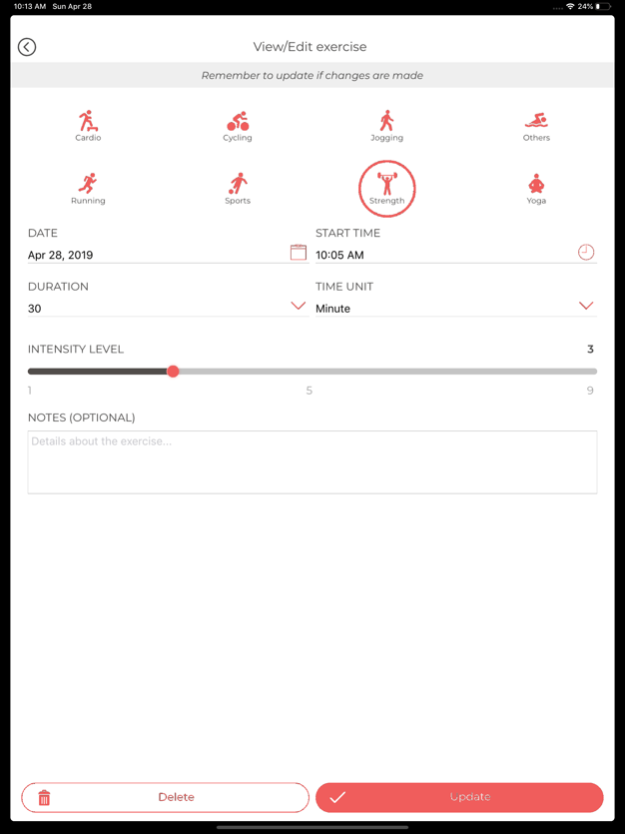
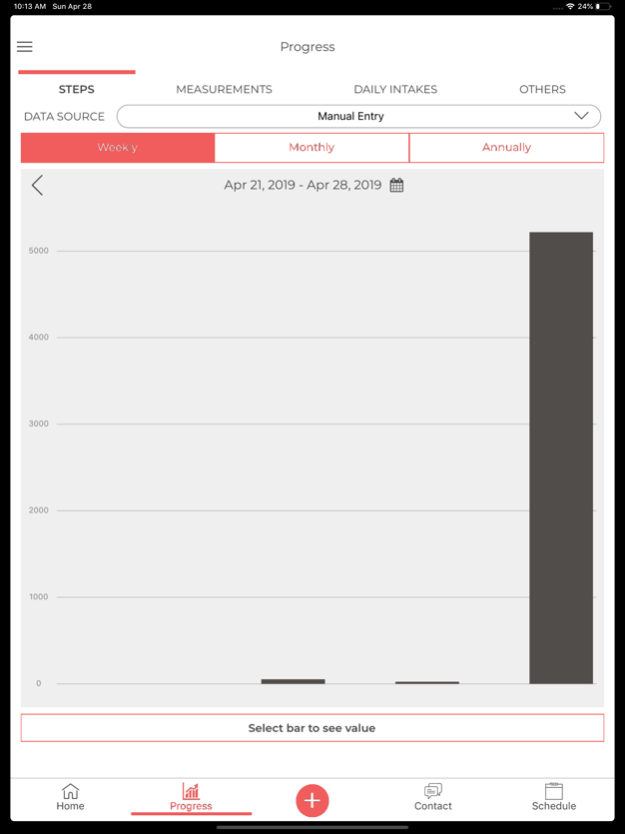
Virtual Health Coaches and Dietitians specializing in medical weight loss, chronic disease management, diabetes management, sports nutrition.
Mobile App Features:
1. Meal Logging
2. HIPAA compliant Messaging
3. Scheduling
4. Supplement Tracking
5. Hydration Tracking
6. Seamless syncing w/ smart scale & smart tracker
Medical Disclaimer: This app is designed to provide general information and support related to health and wellness. It is not intended to replace professional medical advice, diagnosis, or treatment. Always seek the advice of a qualified healthcare professional with any questions or concerns you may have regarding a medical condition or treatment.7. Third-Party Integration with Apple Health
Current device jurisdictions:
Scale: US, Canada, EU
BP Cuff: US, EU
Glucometer: US
Pulse Ox: US
Dec 1, 2024
Version 2.58.580
This release introduces a consent review feature on login and registration screens, improves biometric authentication by requiring consent, and fixes a rendering issue with icons and pain tracking
About InHealthNow
The company that develops InHealthNow is inHealth Medical Services. The latest version released by its developer is 2.58.580.
To install InHealthNow on your iOS device, just click the green Continue To App button above to start the installation process. The app is listed on our website since 2024-12-01 and was downloaded 0 times. We have already checked if the download link is safe, however for your own protection we recommend that you scan the downloaded app with your antivirus. Your antivirus may detect the InHealthNow as malware if the download link is broken.
How to install InHealthNow on your iOS device:
- Click on the Continue To App button on our website. This will redirect you to the App Store.
- Once the InHealthNow is shown in the iTunes listing of your iOS device, you can start its download and installation. Tap on the GET button to the right of the app to start downloading it.
- If you are not logged-in the iOS appstore app, you'll be prompted for your your Apple ID and/or password.
- After InHealthNow is downloaded, you'll see an INSTALL button to the right. Tap on it to start the actual installation of the iOS app.
- Once installation is finished you can tap on the OPEN button to start it. Its icon will also be added to your device home screen.
Program Details
System requirements
Download information
Pricing
Version History
version 2.58.580
posted on 2024-12-01
Dec 1, 2024
Version 2.58.580
This release introduces a consent review feature on login and registration screens, improves biometric authentication by requiring consent, and fixes a rendering issue with icons and pain tracking
version 2.58.380
posted on 2024-11-06
Nov 6, 2024
Version 2.58.380
Updating profile display, keyboard rendering, file vault picture handling and messaging disabled display
version 2.56.700
posted on 2024-06-03
Jun 3, 2024
Version 2.56.700
Updating homepage layout, meal logging preferences and bug fixes
version 2.56.460
posted on 2024-04-25
Apr 25, 2024
Version 2.56.460
Updating blood pressure display, logging for bluetooth devices and dependency versions
version 2.55.350
posted on 2024-02-28
Feb 28, 2024
Version 2.55.350
Updating keyboard view in messaging component
version 2.54.540
posted on 2024-01-16
Jan 16, 2024
Version 2.54.540
Fixing blank screen error and Keyboard View Area improvement
version 2.54.310
posted on 2023-12-19
Dec 19, 2023
Version 2.54.310
Enhanced Video Conferencing, Dependency Updates, Pain Tracking Enhancements, Messaging Overhaul, Notification System Improvements
version 2.54.210
posted on 2023-12-05
Dec 5, 2023
Version 2.54.210
Enhanced Video Conferencing, Dependency Updates, Pain Tracking Enhancements, Messaging Overhaul, Notification System Improvements
version 2.53.800
posted on 2023-11-04
Nov 4, 2023
Version 2.53.800
Enhanced Video Conferencing, Dependency Updates, Pain Tracking Enhancements, Messaging Overhaul, Notification System Improvements
version 2.53.640
posted on 2023-10-20
Oct 20, 2023
Version 2.53.640
Meal logging validation and health data interval
Disclaimer
Official App Store Link
We do not host InHealthNow on our servers. We did not scan it for viruses, adware, spyware or other type of malware. This app is hosted by Apple and passed their terms and conditions to be listed there. We recommend caution when installing it.
The App Store link for InHealthNow is provided to you by apps112.com without any warranties, representations or guarantees of any kind, so access it at your own risk.
If you have questions regarding this particular app contact the publisher directly. For questions about the functionalities of apps112.com contact us.
